If There's a will, There's a way!    is my motto.
    "Discover a Simple Formula to Generate More Leads, Put Thousands in Your Pockets, and Build Your Online Business Lightning Fast..."
    Register Below To Receive E-Course

Fill Up The Form Beside To Start Your FREE E-Course.

Posts Tagged ‘ Internet ’

5 Keys to Creating Websites that Sell

funny
2 Comments

Your business website is essentially your storefront, business card and most significant marketing piece all rolled into one.  How it affects your visitors and customers is then essential to your success.  Provide a memorable experience and customers are sure to return time and time again.  Let’s take a look at five keys to creating a website that sells.

Key #1  Make your website interactive.

As the internet continues to grow and evolve it’s becoming more important to create a community around your business. To accomplish this you want to engage your visitors and customers.  This can be accomplished a number of ways.  You can:

* Provide a forum
* Post surveys or polls
* Enable visitors and customers to review or rank items.  For example a “How valuable was this article?” question and a scale of 1 to 5 stars or a ranking from 1-10.
* Offer a blog and inspire comments and feedback
* Host contests and sweepstakes
* Publish video and audio content as well as written content.  This gives users another way to access you and your personality.

Key #2  Make sure your website provides value.

People go online for a number of reasons.  They go online to research a potential purchase, to seek solutions for a problem they’re having and to be entertained.  If your website provides all three; products, information, and entertainment then you’re in tip top shape.  The good news is your content can provide both the information and the entertainment and when written well, can also inspire purchases.  Here are a few ideas to provide value for your customers and prospects:

* How to articles, videos, and audio
* Tips articles, videos, and audio
* Case studies
* Workbooks and reports
* Interviews with experts
* Product reviews

Key #3  Make sure your website is easy to navigate.

It takes a visitor about 20 seconds to make a decision about whether they’re going to stay on your website or click away. If your site is laid out nicely, with products and services, information, prices, FAQs, and content easy to find then people are more likely to hang out – the longer they stay on your site the more likely they are to make a purchase or to return again.

To make your site easy to navigate consider:
* Keeping your site simple.
* Keep your pages uniform with the same options and appearance.
* If you have a lot of content, great!  Use drop down menus and organize your content by topic for easier access.
* Offer a search function where users can search for products, services, or content topics quickly and easily.
* Provide a way for users to easily go back to previous pages.  A back key is an option however if every page has the same options and drop down menus, including the ability to quickly return to the home page, a visitor will always be able to find what they need.
* Test your website’s appearance on different browsers to make sure every visitor has a good experience.

Key #4  Make your website easy on the eyes.

Ever visit a website and the text was so small or the colors so incompatible that you couldn’t read a word?  Readability is critical to a selling website.  Make sure:

* Your colors are easy on the eyes,
* Your graphics aren’t distracting
* And keep formatting like underlining, bold and italics to a minimum.
* Spacing between sentences and paragraphs is adequate
* Font size is large enough for people to read and font is easy to read

Key #5  Give them a soft sell.

People expect to be sold to and they’re looking for it – they’re wary.  Instead of hitting website visitors with a hard sell, provide information, solve their problems and show them the benefits of your products or services.  They’ll be much more receptive and appreciative.

Creating a website that sells requires a structured approach and a desire to create the best experience possible for your visitors.  Once you’ve created your website, consider testing it and asking associates, friends and family for their opinion.


Continue Reading

My Study on Niche BluePrint

study
2 Comments

I’ve finally finished all the 9 modules of Niche BluePrint. :)

I thought I would do my own notes and even considered to get a new note book for that. However, the truth is I didn’t write a single word inside my note book for the study of Niche BluePrint. Why? The reason is very simple, they have compiled all the important points into PDF files and I can just refer to the files in future.

Ok, just some quick share with you what I have learned. I feel that this is a must learn if you want to have your own home business selling products online. The most powerful is the niche finding and market research! They show the great way to find the profitable niche market and I must agree that this is the most important step that an online businessman must do. :)

They really have shown the whole process in a detailed procedure. You just won’t fail set up the e commerce site by follow their step by step guide. Like my earlier sharing about the modules, they also include the ways to generate traffic with free methods.

This is really a great course and it definitely helps in my online business. :)

Education is a powerful tool in any field of the career or business. :)

Continue Reading

How To Create Own Animated Tag

tag
1 Comment

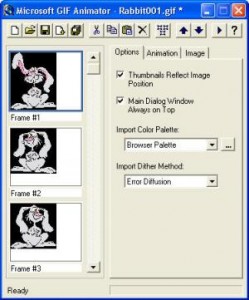
Some friends are asking me how I create my animated tag or button as I use at my Mompreneur site. Frankly, I just learnt how to do my animated tag two months ago from a friend and she told me to use a free software – MS GIF Animator.

This is a very simple and user friendly software that allow you to create your own animated button. You just need to download the sotware from MS GIF Animator and prepare yourself the photos you want to use. You need at least two photos to make your tag animated. Once you get your photos and software ready. You can now start to create your button.

Just import your photos and set the timing on how fast you want the tag to change from picture 1 to picture 2. Within few minutes you get your own animated tag ready. :)

Suggestion: Use photos with same file sizes so that to have better quality.

Tips: You can add words or website address inside the photos using Microsoft Office Picture Manager, Paint, Photoshop or other software you are familiar with before you import them into GIF Animator.

Continue Reading

Basic Ways To Build a High Traffic Website

high-traffic
11 Comments

I believe everyone of us who has a blog or website would like to have many visitors or readers to our sites and build a high traffic website is almost everyone’s wish or dream. Yes, I am one of them and if you are telling me you are not one of us who wants to have lots of visitors to the blog, I will believe you.

I’ve talked to my sis once and I knew that some of them only want to share their blog to few of the close friends and they are not intend to “market” their site. In this case, I recommend you don’t read the following suggestions for building a high traffic website. In fact, I believe when the time they saw my title of “build a high traffic website”, they don’t even click on this post. :)

Recently, I have some friends ask me about how to attract more traffic to the website. Remember, build a site for your business is only the very first step. After you have a website for your online business, the process won’t just stop there but now is just the beginning. I still remember why I want to learn about internet marketing. When the time I joined some programs, I thought everything was just so simple like stated in their site that I don’t need any experiences or knowledge. But after I’ve explored more, I found that many things I needed to learn about and one of the thing I needed to know is how to build a high traffic website or blog.

Here are my 3 simple basic suggestions to attract more traffic to our sites.

1. Create valuable content
Strong content is universally valued. It’s always hard work to create it, but in the long run it generates lots of long term referral traffic. It’s not easy for me to understand the sentence of “create valuable content” when I was just get started. It seems so easy yet so difficult. I don’t know what content should I write about for this blog. I have then decided to share my learning experiences on internet marketing and hope others may gain some ideas from my blog.

Every time I write my content, I would assume that I’m writing for my friends who are interested to know what have I learned in internet marketing. Assuming they are reading my blog and they will get something from the reading. It’s very important when I have this in my mind. It’s kind of motivation and also my way to have better content articles.

I believe when you focus on providing real value content, your readers will notice.

2. Create timeless content
It is always better for us to write about something still providing real value and may still be read by people after many years. Unless your site is doing about news or current events, otherwise you should try to write content that is intended to be timeless.

I always try to have content that may be readable in future and at least when people read about my post one year later they still feel that it’s useful.

3. Know why you want a high traffic site
Only knowing the way to attract traffic to your site is not enough and it’s only a bridge to your main purpose. What is your main purpose of having the high traffic? You must know very clearly what kind of traffic you want and what the traffic can bring you.

If you have a business website that offer some products or services at your site, you should know that once you get the high traffic, the traffic must be able to bring you sales. Otherwise the high traffic would means nothing. Therefore, if you succeed in building high traffic website, you must respect this position and serve the best.

Of course there are many other factors to take into consideration for website traffic. However, I think the above are the most important and basic rules that we should take care of. If we could consistently apply the above to our sites or blogs, I believe it helps in long run.

I would like to share with you the two videos about website traffic that I find them very useful.


For more about website traffic, you can read my posts at Website Traffic at Mompreneur Asia.

Continue Reading

Use Google Alerts To Get Latest Relevant Google Results

Google-Alerts
2 Comments

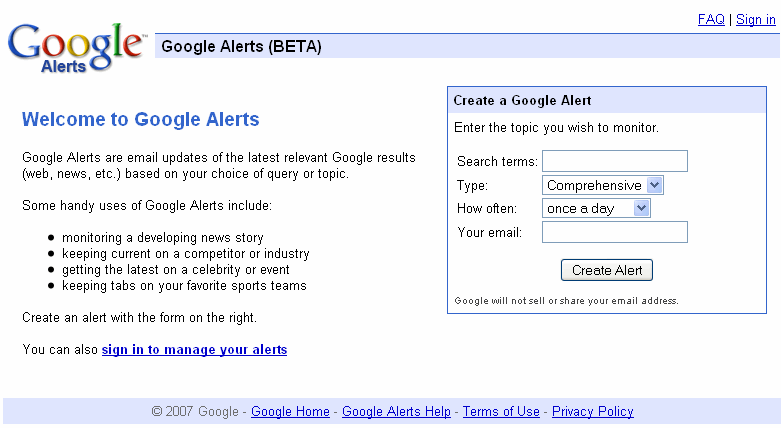
I have been using Google Alerts since few months ago and I keep receiving latest relevant google results for the topics I wish to monitor.

Google Alerts is very user friendly and it is kind of email updates based on your choice of query or topic. From the form, you just need to key in the search terms that you would like to receive email updates. For example, you want to know the latest relevant Google results for SEO. So, you just need to key in SEO or Search Engine Optimization in the Search terms . “SEO” and “Search Engine Optimization” would give you totally different email updates from Google.

There are few types for you to choose from. The choices included News, Blogs, Web, Comprehensive, Video and Groups. You may wish to choose the type of information you like to get based on the search term and your niche. Also, you could receive the mails on daily or weekly basis.

I’ve read an article by Saikat Basu about “10 Uses of Google Alerts For A Freelancer”. He has very good points about why we should use Google Alerts and also some tips to manage Google Alerts.

Make Google Alerts your virtual research assistant

Continue Reading

What is Google SearchWiki?

searchwiki
2 Comments

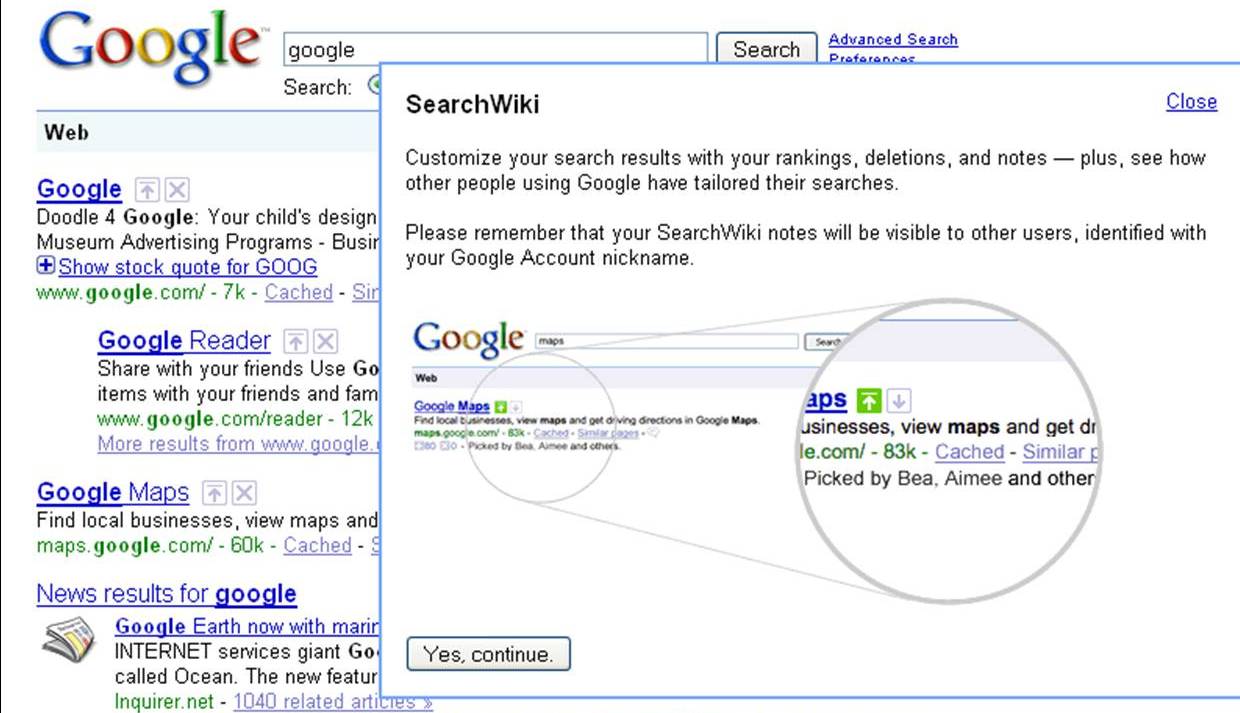
Today I discover something different when I’m using Google Search. Besides the search results, there are a “Up arrow” and a “Delete” boxes. Out of my curious, I click on the “Up arrow” and there is a pop-up as below:

So, what does this mean? I could customize my search results with the rankings I want? I could put my own website to the rank of #1? If it can simply change the ranking, how about the effort of doing all the SEO and LSI? Many questions just appear in my mind. I then found a video that explain more about Google SearchWiki.

And also a post on Google SearchWiki Kill SEO Ranking? – It says that the changing only affect the particular computer and only if he log on to his google account.

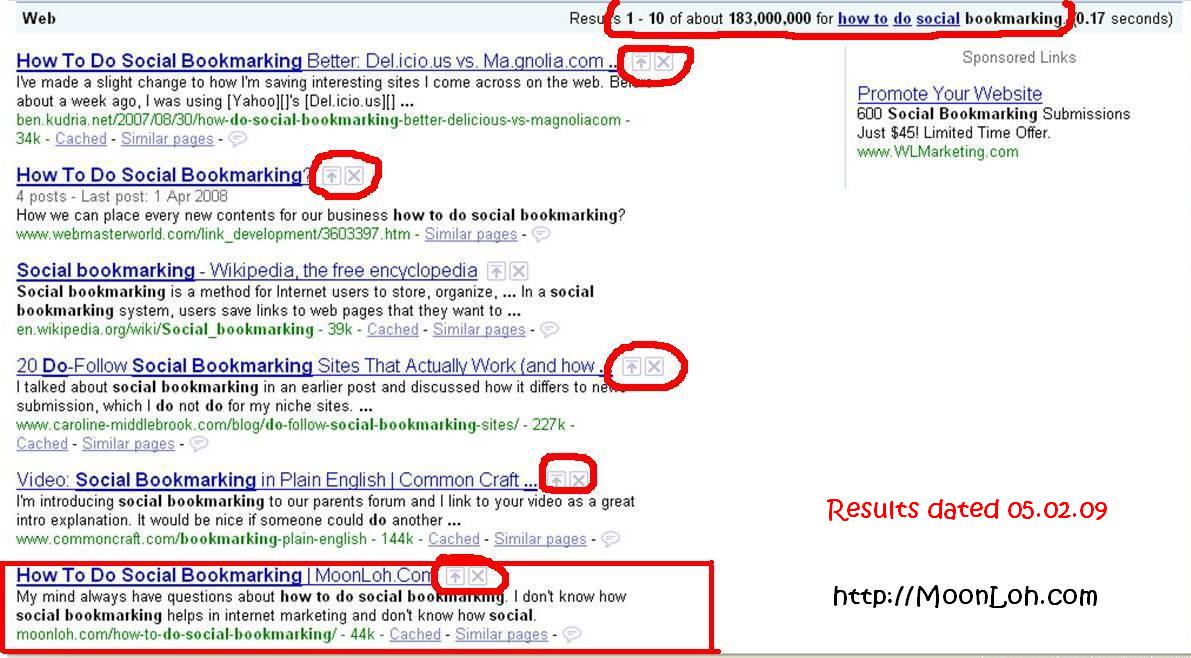
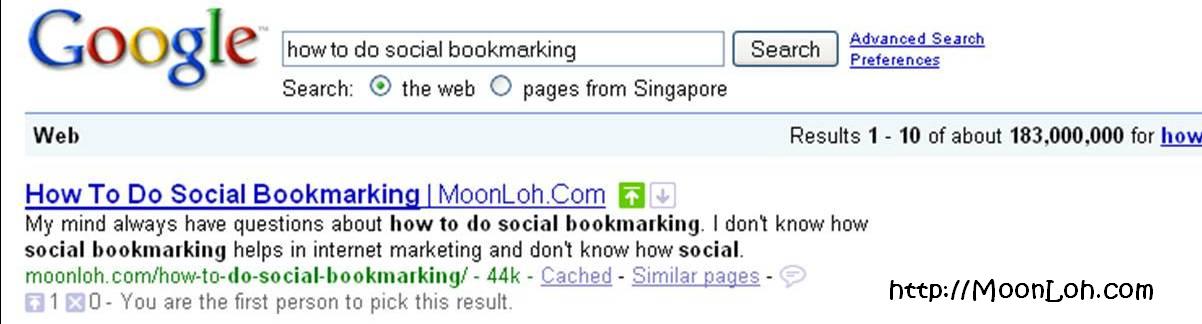
I do a test by myself for the keyword “how to do social bookmarking”. My website rank #6 originally but after my “adjustment”, it ranks #1.

Before Using SearchWiki


After Using SearchWiki – This result only effective when I log on to my google account.

So, what do you think about Google SearchWiki? Any advantages and disadvantages of boosting the websites’ ranking and it can only be viewed by ourselves?

Continue Reading

Have You Joined Google Friend Connect?

google-friendconnect
10 Comments

Google Friend Connect is a social networking that I just joined. As we know, social network is a great tool for our exposure and also to grow our site’s traffic, so I get the widget at my sidebar and hope to connect with you all.

Google Friend Connect is very user friendly and it allows you to sign in with your Google, Yahoo, AIM or OpenID account. You can interact with other visitors by making friends, sharing media, posting comments, playing games, and more. Another great thing is you may invite friends from other social networks and contact lists to join your site or blog.

Here is the video by Google


If you have joined this social site,  I would like to connect with you too. Just leave me a message here and I will join yours.

Happy Connection!

Continue Reading