"Discover a Simple Formula to Generate More Leads, Put Thousands in Your Pockets, and Build Your Online Business Lightning Fast..." Register Below To Receive E-Course
Fill Up The Form Beside To Start Your FREE E-Course.
So, if you have a blog now, what is your purpose of blogging?
Some may say I just want to do casual blogging and share with my own friends. Then, this is fine because basically that is just casual blogging without any “business elements”. However, many people open a blog because they want to earn money online.
“I read that I can make money online from blogging, but I didn’t see money”
“My upline says I need to have a blog, so I set up a blog but I don’t know what to blog”
“I’ve blog for months and even years, I didn’t see good results” etc etc
And you could really see many people didn’t really earn much from blogging. Now, it’s really the time to ask yourself why you blog. This is very important question so that you can really earn from blogging.
I want to profit from blogging, How?
People who earn big money blogging are Problogger. They treat blogging as a business. From their blog, you could see there are many ways for them to earn, including advertisement space, affiliate or own programs/products etc. Those are the most basic earning elements. And if you notice, they blog about something they have passion or some topics they have knowledge in – They provide good and valuable content. Therefore, the first thing you need to do is to provide good content in your blog. Secondly, learn how to drive traffic to your blog. This is the same concept as open a new restaurant and getting lots of customers to your restaurant.
I listen to my upline and set up a blog for Network Marketing business, How it works?
Blogging is one of the online marketing to reach out to the public. People get to know you or your business via your blog. Therefore, you must know clearly the purpose of your blog. Your purpose can be branding for yourself (personal blog) or your business (business blog). Again, good content is needed so that visitors will back to your blog again for information. Your blog also plays a role in building relationship with your readers and then lead them to your business. One very important thing is, don’t follow blindly what your upline says, but try to understandwhat is the purpose of doing that. Once you understand the reason of blogging for business, you have no problem in blogging anymore and hence achieve the results you want.
If you still don’t have a clear objective on blogging, I suggest you take some time to list down your objectives and then only back to your blogging again.
Your business website is essentially your storefront, business card and most significant marketing piece all rolled into one. How it affects your visitors and customers is then essential to your success. Provide a memorable experience and customers are sure to return time and time again. Let’s take a look at five keys to creating a website that sells.
Key #1 Make your website interactive.
As the internet continues to grow and evolve it’s becoming more important to create a community around your business. To accomplish this you want to engage your visitors and customers. This can be accomplished a number of ways. You can:
* Provide a forum
* Post surveys or polls
* Enable visitors and customers to review or rank items. For example a “How valuable was this article?” question and a scale of 1 to 5 stars or a ranking from 1-10.
* Offer a blog and inspire comments and feedback
* Host contests and sweepstakes
* Publish video and audio content as well as written content. This gives users another way to access you and your personality.
Key #2 Make sure your website provides value.
People go online for a number of reasons. They go online to research a potential purchase, to seek solutions for a problem they’re having and to be entertained. If your website provides all three; products, information, and entertainment then you’re in tip top shape. The good news is your content can provide both the information and the entertainment and when written well, can also inspire purchases. Here are a few ideas to provide value for your customers and prospects:
* How to articles, videos, and audio
* Tips articles, videos, and audio
* Case studies
* Workbooks and reports
* Interviews with experts
* Product reviews
Key #3 Make sure your website is easy to navigate.
It takes a visitor about 20 seconds to make a decision about whether they’re going to stay on your website or click away. If your site is laid out nicely, with products and services, information, prices, FAQs, and content easy to find then people are more likely to hang out – the longer they stay on your site the more likely they are to make a purchase or to return again.
To make your site easy to navigate consider:
* Keeping your site simple.
* Keep your pages uniform with the same options and appearance.
* If you have a lot of content, great! Use drop down menus and organize your content by topic for easier access.
* Offer a search function where users can search for products, services, or content topics quickly and easily.
* Provide a way for users to easily go back to previous pages. A back key is an option however if every page has the same options and drop down menus, including the ability to quickly return to the home page, a visitor will always be able to find what they need.
* Test your website’s appearance on different browsers to make sure every visitor has a good experience.
Key #4 Make your website easy on the eyes.
Ever visit a website and the text was so small or the colors so incompatible that you couldn’t read a word? Readability is critical to a selling website. Make sure:
* Your colors are easy on the eyes,
* Your graphics aren’t distracting
* And keep formatting like underlining, bold and italics to a minimum.
* Spacing between sentences and paragraphs is adequate
* Font size is large enough for people to read and font is easy to read
Key #5 Give them a soft sell.
People expect to be sold to and they’re looking for it – they’re wary. Instead of hitting website visitors with a hard sell, provide information, solve their problems and show them the benefits of your products or services. They’ll be much more receptive and appreciative.
Creating a website that sells requires a structured approach and a desire to create the best experience possible for your visitors. Once you’ve created your website, consider testing it and asking associates, friends and family for their opinion.
Blogs are popular ways to create an online presence for personal and business reasons. You can build a blog for free and begin posting content right away. But, what good is that content if no one is reading it. Here are ten ideas to bring in the traffic your blog needs to survive.
Of all the successful blogs on the Internet, hundreds more have failed. Running a blog is like running a business website. Unless you are willing to put the time in and treat it seriously, you won’t be blogging long.
That is not to say that the failed bloggers weren’t serious about blogging. Mostly, new bloggers aren’t prepared for the work that goes into creating a successful blog. Just building the blog doesn’t mean that people will necessary come to you. You pursue the audience and give them a reason to see what you have to say.
1. Fresh Content – no one wants to visit a blog day after day and see the same posts. Update your blog content at least twice a week. This will be easier if you write several posts ahead of time and upload them at the appropriate times.
2. Article Marketing – the niche you’ve chosen for your blog is one that interests you. If it is interesting you will spend more time doing it. Create content not only for your blog but also to be submitted to article directories. Use the resource box to advertise your blog so people can find you.
3. Social Networking – these sites are everywhere. Join Facebook, MySpace, Squidoo, Twitter or a dozen others and make connections. You can join groups of likeminded people who are also bloggers or entrepreneurs.
4. Viral Marketing – this is where you spread the word about your blog. Talk to friends, family and even strangers. Give out business cards that have your blog address on them.
5. Use RSS Feeds – RSS stands for “Really Simple Syndication.” Readers can subscribe to your feed and get email updates when new content is posted. It is an easy way for them to keep up with your blog without spending all day online.
6. Submit Blog to Search Engines – doing this allows your blog to be ranked. Google and Yahoo! are two of the most popular search engines you want to crawl your blog pages. It doesn’t guarantee top ranking, though. You’ll have to do a little more work for that.
7. Joining Forums – as a blogger you are a budding entrepreneur. Right now you are marketing yourself to find traffic and then profit. Become a member of business forums, work at home forums and others to meet new people and share ideas. You can add a link to your blog in the signature line so others can find you.
8. Visit other blogs – show your appreciation to those who visit you by also posting comments on their blogs. It is a kindness that shows others you are not just out to advertise your blog alone. Add links to your blog in your comments.
9. SEO Marketing – whatever you write, use relevant keywords. Keyword density between three and ten percent is good for getting higher page rankings in search engines. Base your keywords on a research you do to find the most popular words used in search engines for your niche.
10. Social Bookmarking – submitting posts to social bookmarking sites allows others who are members of those sites to track you back to your blog.
Using any of these ideas will start the traffic moving in your direction. It takes time but you will build the readership you want.
I’ve finally finished all the 9 modules of Niche BluePrint. :)
I thought I would do my own notes and even considered to get a new note book for that. However, the truth is I didn’t write a single word inside my note book for the study of Niche BluePrint. Why? The reason is very simple, they have compiled all the important points into PDF files and I can just refer to the files in future.
Ok, just some quick share with you what I have learned. I feel that this is a must learn if you want to have your own home business selling products online. The most powerful is the niche finding and market research! They show the great way to find the profitable niche market and I must agree that this is the most important step that an online businessman must do. :)
They really have shown the whole process in a detailed procedure. You just won’t fail set up the e commerce site by follow their step by step guide. Like my earlier sharing about the modules, they also include the ways to generate traffic with free methods.
This is really a great course and it definitely helps in my online business. :)
Education is a powerful tool in any field of the career or business. :)
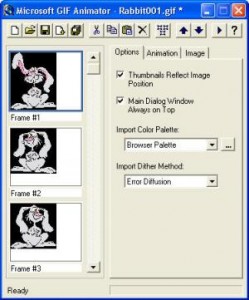
Some friends are asking me how I create my animated tag or button as I use at my Mompreneur site. Frankly, I just learnt how to do my animated tag two months ago from a friend and she told me to use a free software – MS GIF Animator.
This is a very simple and user friendly software that allow you to create your own animated button. You just need to download the sotware from MS GIF Animator and prepare yourself the photos you want to use. You need at least two photos to make your tag animated. Once you get your photos and software ready. You can now start to create your button.
Just import your photos and set the timing on how fast you want the tag to change from picture 1 to picture 2. Within few minutes you get your own animated tag ready. :)
Suggestion: Use photos with same file sizes so that to have better quality.
Tips: You can add words or website address inside the photos using Microsoft Office Picture Manager, Paint, Photoshop or other software you are familiar with before you import them into GIF Animator.
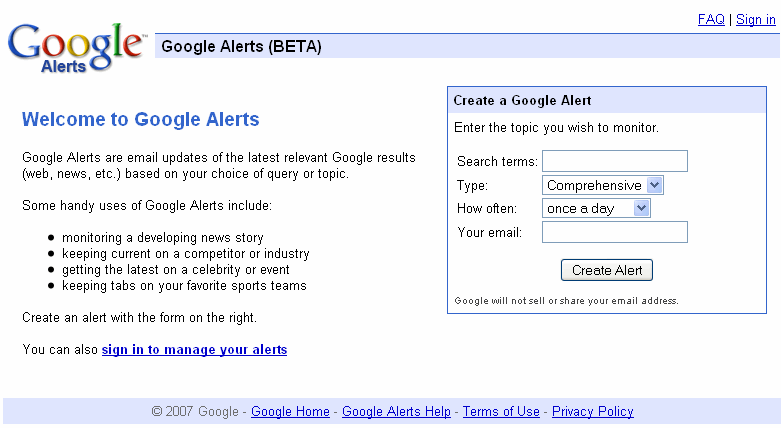
I have been using Google Alerts since few months ago and I keep receiving latest relevant google results for the topics I wish to monitor.
Google Alerts is very user friendly and it is kind of email updates based on your choice of query or topic. From the form, you just need to key in the search terms that you would like to receive email updates. For example, you want to know the latest relevant Google results for SEO. So, you just need to key in SEO or Search Engine Optimization in the Search terms . “SEO” and “Search Engine Optimization” would give you totally different email updates from Google.
There are few types for you to choose from. The choices included News, Blogs, Web, Comprehensive, Video and Groups. You may wish to choose the type of information you like to get based on the search term and your niche. Also, you could receive the mails on daily or weekly basis.
I’ve read an article by Saikat Basu about “10 Uses of Google Alerts For A Freelancer”. He has very good points about why we should use Google Alerts and also some tips to manage Google Alerts.
Make Google Alerts your virtual research assistant
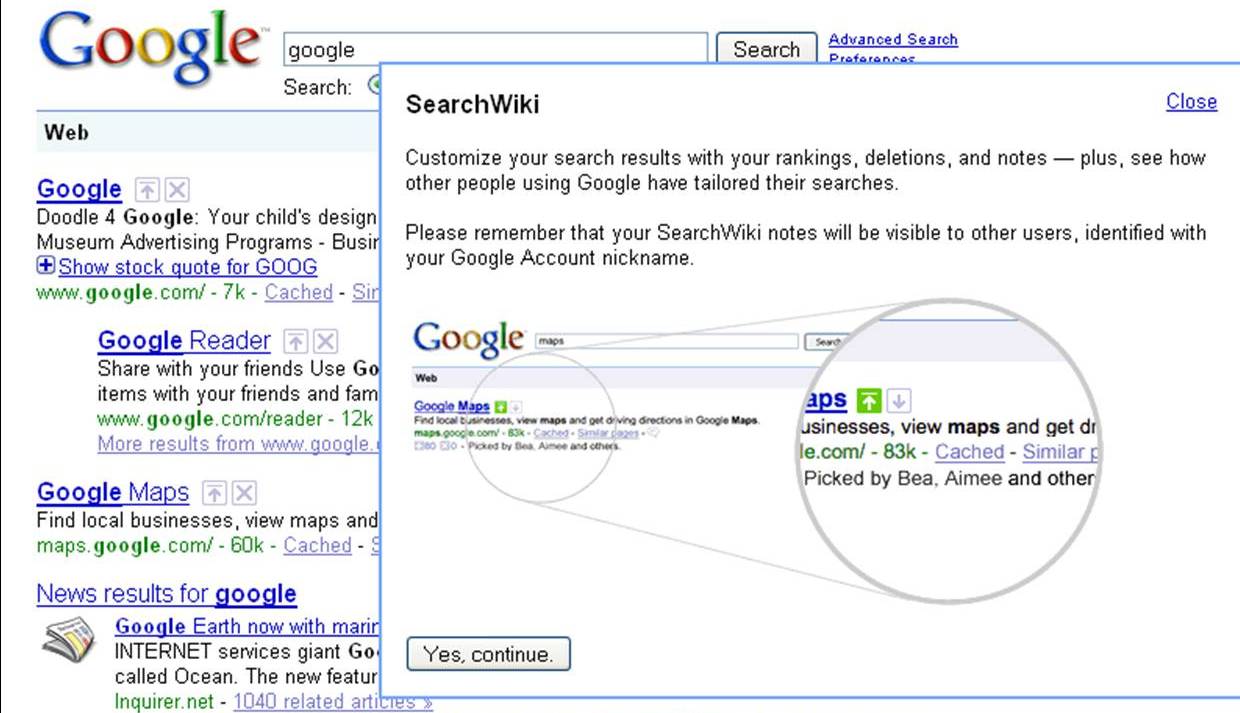
Today I discover something different when I’m using Google Search. Besides the search results, there are a “Up arrow” and a “Delete” boxes. Out of my curious, I click on the “Up arrow” and there is a pop-up as below:
So, what does this mean? I could customize my search results with the rankings I want? I could put my own website to the rank of #1? If it can simply change the ranking, how about the effort of doing all the SEO and LSI? Many questions just appear in my mind. I then found a video that explain more about Google SearchWiki.
And also a post on Google SearchWiki Kill SEO Ranking? – It says that the changing only affect the particular computer and only if he log on to his google account.
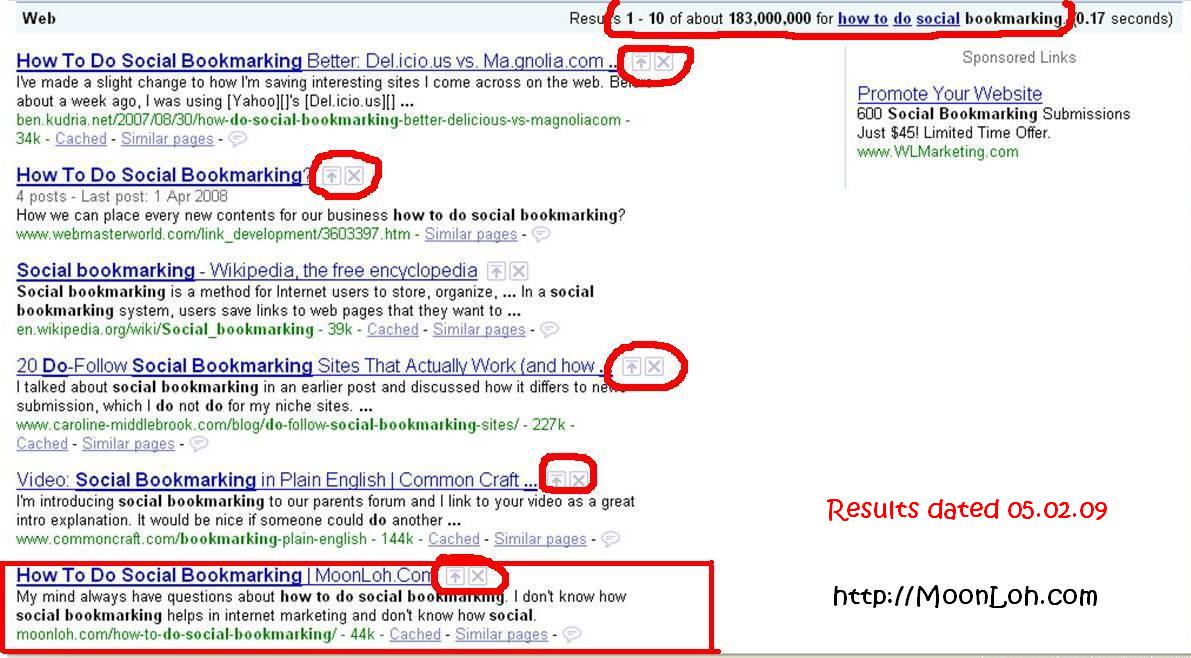
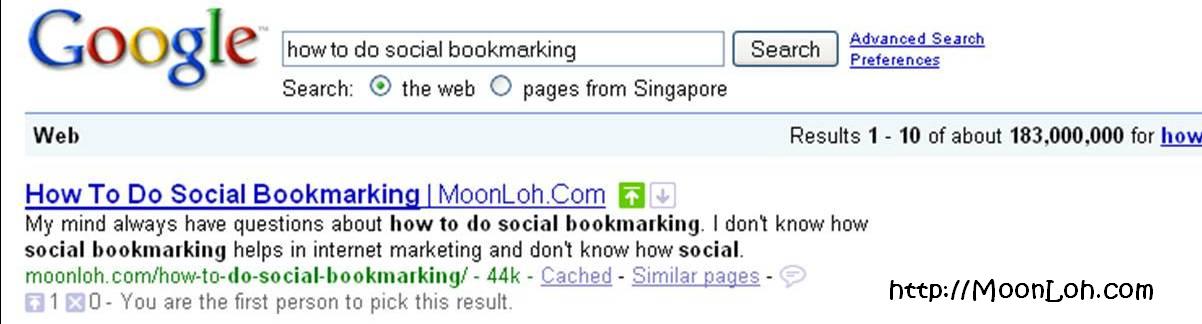
I do a test by myself for the keyword “how to do social bookmarking”. My website rank #6 originally but after my “adjustment”, it ranks #1.
Before Using SearchWiki
After Using SearchWiki – This result only effective when I log on to my google account.
So, what do you think about Google SearchWiki? Any advantages and disadvantages of boosting the websites’ ranking and it can only be viewed by ourselves?
I have encountered problems with my website layout at Internet Explorer (IE) for many times. I normally use Mozilla Firefox for my daily online but I would use IE for my websites testing.
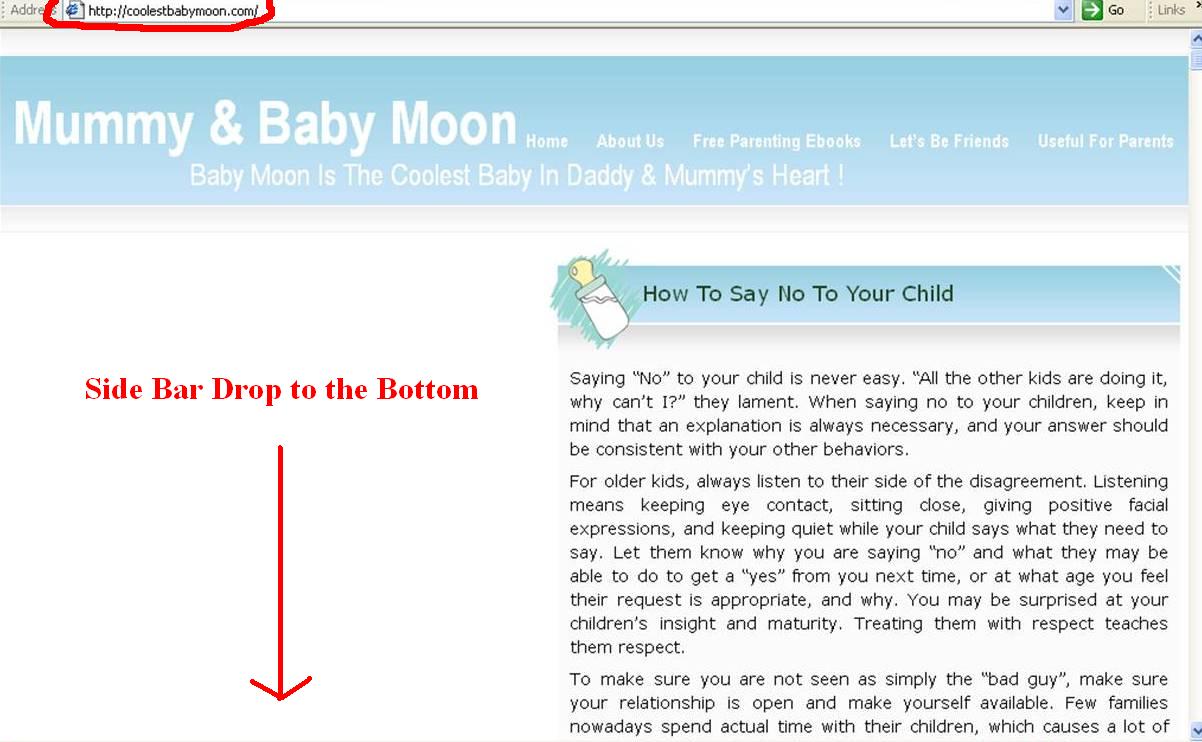
This morning my friend, Paul told me that one of my website’s sidebar dropped to the bottom of the posts. I quickly open my IE and found that my site looked like this:
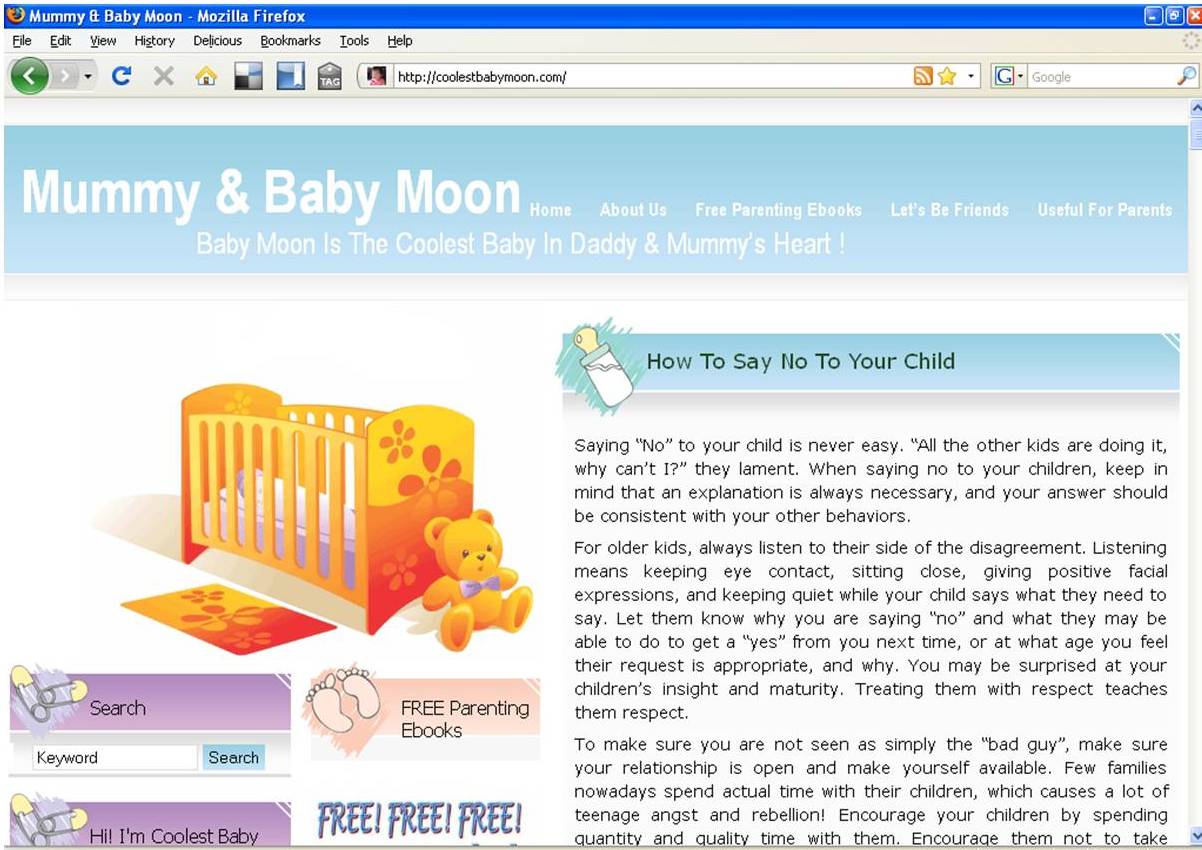
But when I opened with my Mozilla Firefox, it looked just great!
I suddenly remember I just added in a new widget last week and this might be the cause of the layout problem. Since I have experiences on how to deal with this problem, it took me a few minutes for the small adjustment at the sidebar width.
And it looks normal and working good at IE now.
I suggest you to check your websites periodically to make sure the layout of your themes are working in order. Any new added in widget may cause the change of the layout at IE.
And if you encountered the layout problem, try the following ways:
Check the size of your widget, does a particular widget too big in the width?
If all your widgets’ width are ok, now check the sidebar width for your theme and try to reduce the size.
You might need to try for few times and normally it works well after the adjustment at sidebar width.
If it’s still not working, then this is time for you to check your header’s width if you are using custom header.
Recently I’ve spent more time with my new Mompreneur website and hardly update blog post here. I’ve checked my Google Analytics for this website today and surprise to find that I still have the constant traffic and some traffic are from the google organic search results.
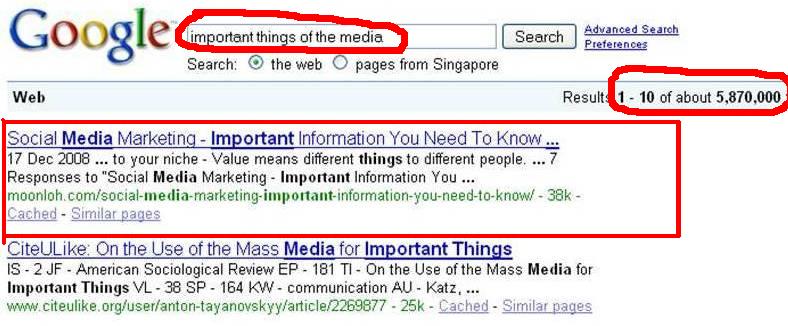
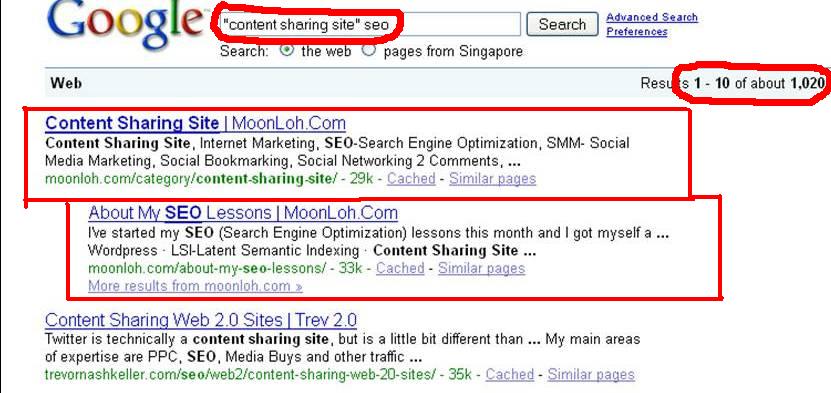
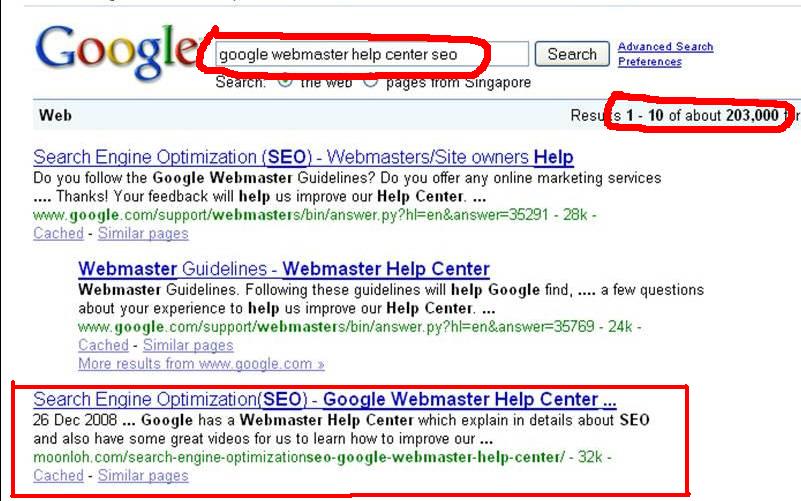
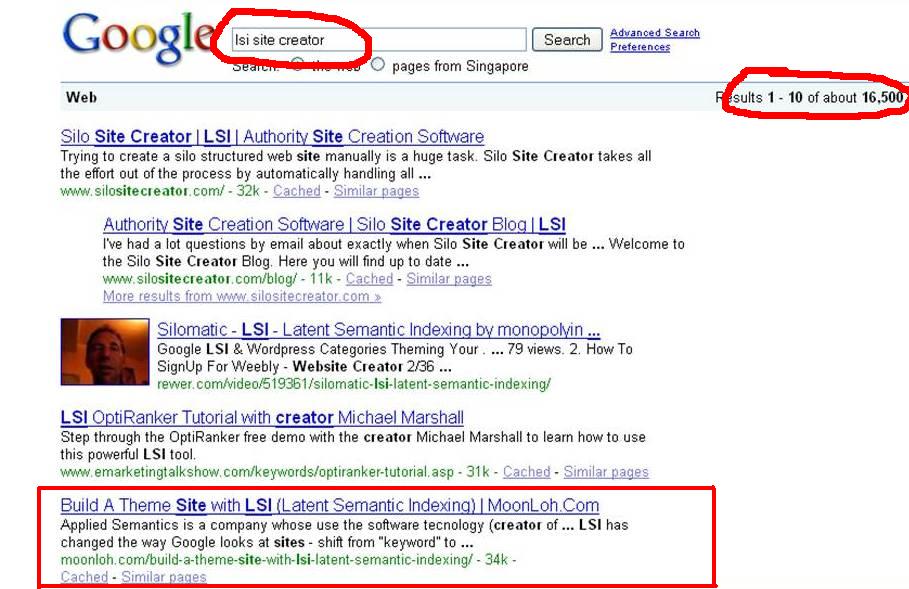
I’m actually quite surprise to see my website get rank at the first page and even the #1 for some keywords. Let’s share with you some keywords that rank my site in the first page of SERP.
Keyword-Important things of the media, Rank-#1
Keyword-How to do social bookmarking, Rank-#6
Keyword-”Content sharing site” seo, Rank-#1 & #2
Keyword-Google webmaster help center seo, Rank-#3
Keyword-Lsi site creator, Rank-#5
These are the results of 19.01.09 and my Page Rank=2, Alexa Ranking=684,881
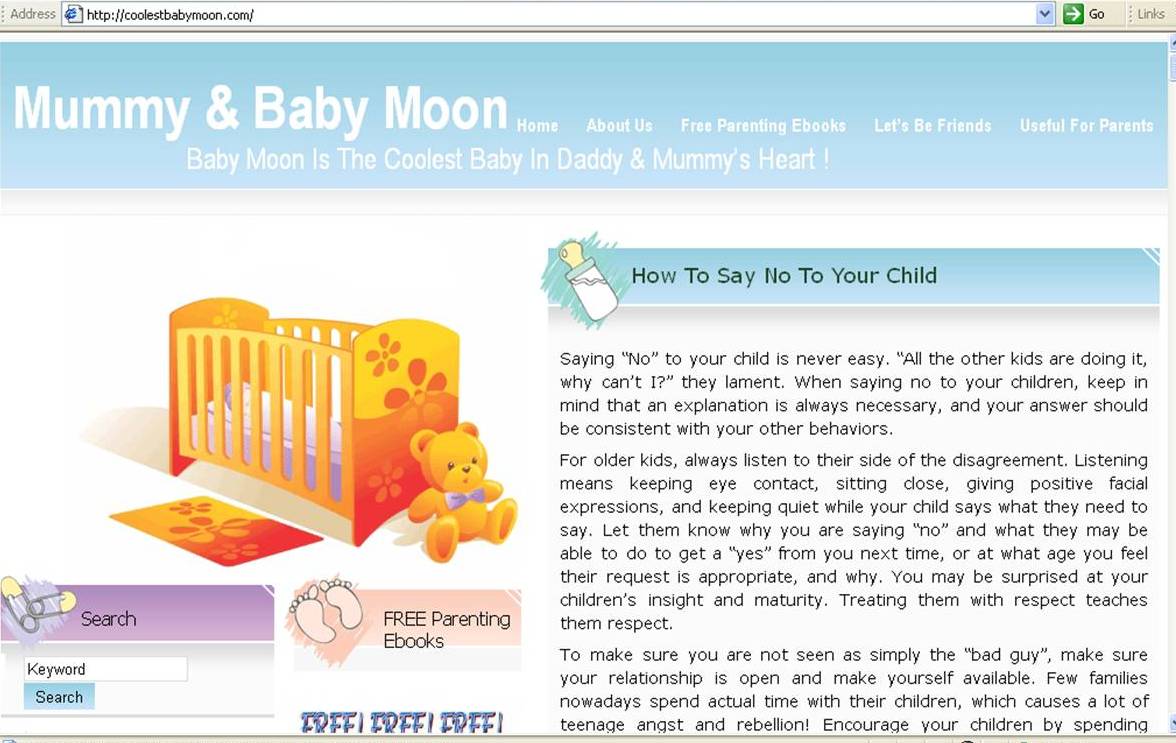
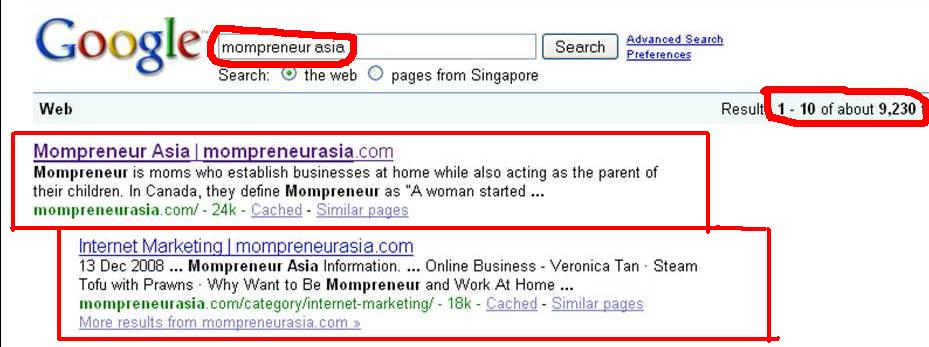
If you ask me whether a website with Page Rank 0 can get rank in the first page of SERP, let me show you the following:
My Mompreneur website only launched last month and the PR=0 but still get rank in first page #1 and #2 of the Google Organic Search Results. Therefore, try to focus on your website’s SEO and LSI to attract more free traffic and don’t worry about your Page Rank.
You can read more about my posting of SEO and LSI here.
Year 2009 is another level for me in internet marketing and I will share more of my learning curve and experiences of being a Mompreneur at Mompreneur Asia. Through the website, you will find informaton on:
* Why want to be Mompreneur
* How to start home business
* Where to start
* When is the good time for you to start
* What is the home business that suitable for you
* Where to get the useful resources
* How to grow your existing home business
* Other valuable information
Welcome to get some ideas or give comments to my Mompreneur Asia.
Here, I have 5 Ebooks that I found them very informative and useful. I would like to share with you all and here are the lists of the books.
I have been looking around for online opportunity and I am honor to have met Moon. When I first saw her Mompreneur Asia Website, I was deeply inspired and very impressed. Being a full time mother and with her will to believe that making money online is possible. Being through the hard work, she has proven to many people that anyone can make money online. Her willingness on helping people like me has given me a guideline in life that decision is upon individual. So if you are looking for opportunity like me, Moon Loh should be the one you are long looking for.
Charmaine Ong
It has been my pleasure to work with Moon Loh since last year. She has consistency and integrity in her work. She shares her knowledge in internet and network marketing generously. I would definitely recommend Moon Loh without hesitation
Viviana Andrew
I have known Moon Loh since Year 2010. When I first saw her Mompreneur Asia website, I was very impressed. She is really someone I admire very much. From an ordinary housewife to becoming one of the top internet marketers in Asia, she had proven that anyone can make money online. She is also very down to earth and willing to share her knowledge and skills with others. I am glad to have the privilege to work with Moon.
Ket Sang Tai
Moon shares freely her knowledge in internet marketing to her team and patiently teach them till they understand. Her leadership is worth commending on. If you want to find someone whom you can learn and work with to succeed in Internet Network Marketing, Moon is the person you can look for.


 If There's a will, There's a way!
  is my motto.