"Discover a Simple Formula to Generate More Leads, Put Thousands in Your Pockets, and Build Your Online Business Lightning Fast..." Register Below To Receive E-Course
Fill Up The Form Beside To Start Your FREE E-Course.
Google has a Webmaster Help Center which explain in details about SEO and also have some great videos for us to learn how to improve our visibility in Google’s search results.
I still remember when I started my self hosting websites on blogging, I used lots of time in choosing the WordPress themes for my blogs. Most of the themes just have little problems here and there and the most common problem is the layout doesn’t fix both the Firefox and Internet Explorer.
Sooner, I found that almost all WordPress themes aren’t designed with SEO in mind – in fact they are very poor for SEO.
6 SEO Problems Common In WordPress Themes – by Court
Multiple use of the H1 tag. The H1 tag should only be used on each page of a site. Most WordPress themes use the H1 tag multiple times on each page.
Excessive use of H2 tags. Most WordPress themes use H2 tags for almost everything in the sidebar. This causes H2 to be used nearly 10 times on each page. They should be used for the 2nd most important heading on each page, which is probably going to be your post title. The H1 tag should be used for the main heading on each page, which is probably the name of your site.
Weak use of HTML title tag. On most WordPress themes, the HTML title tag appears as: the name of your site: category: post title. Since you will often have keywords in your post title, this is poor use of the HTML title tag. The post title should appear first.
The code for the sidebar often appears above the content. This results in all of your pages looking the same in search engine listings. It also dilutes the power of your content and post titles, because they’re moved down in the code for each page.
The comment section is poorly setup. Many of the themes use H1, H2, and H3 tags in the comments. This is a huge mistake that would lead to dilution of the intended H1 and H2s.
Archive and category pages produce duplicate content. If full-text versions of the posts are shown here, it can cause post pages to show in Google’s supplemental index. I would set category and archive pages to show excerpts only, or add ‘noindex’ to their head.
One way to optimizes your WordPress blog for Search Engines (Search Engine Optimization) is to use the All in One SEO Pack.
The features of All In One SEO Pack:
* Automatically optimizes your titles for search engines
* Generates META tags automatically
* Avoids the typical duplicate content found on WordPress blogs
* For WordPress 2.3 you don’t even have to look at the options, it works out-of-the-box. Just install.
* You can override any title and set any META description and any META keywords you want.
* You can fine-tune everything
* Backward-Compatibility with many other plugins, like Auto Meta, Ultimate Tag Warrior and others.
1) Be Prepared.
2) Avoid Javascript.
3) Content is King.
4) Build Backlinks.
5) Don’t obsess over PageRank.
6) Focus on Titles.
7) Keep Content Fresh!
8 ) The Key to Good Links.
9) Phrasing it Correctly.
10) Don’t Design in a Vaccum.
11) Keep Adding Keywords.
12) Don’t Split Your Link Juice.
13) Ditch the Long Names.
14) Forget About Frames!
15) What Really Counts.
16) Get Indexed Quickly.
17) Start a Blog.
18) Quality Counts.
19) Don’t Abuse The System.
20) Guilt by Association.
10 Simple Steps To Achieve High Search Engine Rankings
-Know your geographic market and ensure your domain has the correct TLD.
-Include keyword in Domain name (using hyphens if necessary).
-Create as much content about your products or subject as you can.
-AFTER you have your site content start keyword researching
-Decide on 4 or 5 primary keywords to use as main sub-sections
-Sit down and sketch out your navigation system
-Re-write content using knowledge previously gained about keywords and phrases
-Structure each individual page
-Proof read your completed page and get a 2nd opinion
-Construct your site.
Remember
1. Be Patient, Things will take time
2 Don’t Overdo anything – it Can harm you
3 Automated Link Exchange Programs are Dead
4 Never spam as It don’t work
5 Don’t do BlackHat unless you know what you are Doing
6 Don’t buy too many softwares/ebooks
7 Never participate in any kind of traffic exchange programs
8 .edu Links from blogs are Useless
9 If something looks unreal, than most likely, it is
Search engine ranking factors are the factors that that can influence a web document’s rank at the major search engines for a particular term or phrase.
Search Engine Factors
A) Keyword Use Factors
B) Page Attributes
c) Site/Domain Attributes
D) Inbound Link Attributes
E) Negative Crawling/Ranking Attributes A) Keyword Use Factors
- Keyword use in Title Tag
- Keyword use in Body Text
- Relationship of Body Text context to keywords (Topic Analysis)
- Keyword use in H1 Tag
- Keyword use in Domain Name
- Keyword use in Page URL
- Keyword use in H2, H3, H(x) Tags
- Keyword use in Alt Tags and Image Titles
- Keyword use in Bold/Strong Tags
- Keyword use in Meta Description Tag
- Keyword use in Meta Keywords Tag
B) Page Attributes
- Link popularity within the site’s internal link structure
- Quality / relevance of links to external sites / page
- Age of documents
- Amount of indexable text content
- Quality of the document content (as measured algorithmically)
- Organisation / hierarchy of document flow (i.e. broad > narrow)
- Frequency of updates to page
- Number of trailing slashes (/) in URL
- Accuracy of spelling and grammer
- HTML validation of document
C) Site/Domain Attributes
- Global link popularity of site
- Age of site
- Topical relevance of inbound links to site
- Link popularity of site in topical community
- Rate of new inbound links to site
- Relevance of site’s primary subject matter to query
- Historical performance of site as measured by time spent on page, clickthroughs from SERPs, direct visits, bookmarks, etc.
- Manual authority/weight given to site by Google
- TLD extension of site (edu, gov, us, ca, etc)
- Rate of new pages added to site
- Number of queries for site/domain over time
- Verification of site with Google webmaster centre
D) Inbound Link Attribute
- Anchor text of inbound link
- Global link popularity of linking site
- Topical relationship of linking page
- Link popularity of site in topical community
- Age of link
- Topical relationship of linking site
- Text surrounding the link
- Internal link popularity of linking page within host site/domain
- Temporal link attributes (when in time the links was created/updated)
- Domain extension of linking site (edu, gov, us, ca, etc)
- Page rank (as measured by the Google Toolbar) of linking page
E) Negative Crawling/Ranking Attributes
- Server is often inaccessible to bots
- Content very similar or duplicate of existing content in the index
- External links to low quality/spam sites
- Duplicate title/meta tags on may pages
- Overuse of targeted keywords (stuffing/spamming)
- Participate in link schemes or actively selling links
- Very slow server response times
- Inbound links from spam sites
- Low levels of visitors to the site (measured via toolbar, clicks in SERPs, etc)
I’ve started my SEO (Search Engine Optimization) lessons this month and I got myself a new notebook since my last notebook already full with all the social media marketing notes.
Compare to social media marketing, I find SEO more technical and less interesting. However, it’s always good to learn new things and SEO is a crucial part of internet marketing.
Page Rank = SEO Tips + Persistence
SEO (Search Engine Optimization) is the foundation for almost every form of online advertising and we need to know:
• what a meta tag is and how to use them
• what keywords are
• how many keywords to use
• where keywords should be placed and why
• what title tags are
• what alt tags are
• what header tags are
• what a sitemap is and how to use the different kinds
• why links can help or hurt you
• why commenting is a good thing
Some SEO Tips
- Content
- Individual Title and Descriptions
- Site Architecture / Navigation
- Inbound links to your site from relevant and trusted sites
- Keyword Terminology
- Universal XML Sitemaps
- Rich Media
- Web 2.0
- Mobile Web
- Content Relevancy
- Constant Monitoring of Paid and Organic Analytical Information
- Become a More Trusted Site
More SEO Tips
- Site Design Consideration
- Don’t use frames
- Don’t use dynamic URL’s
- Don’t have an entirely FLASH homepage
- Don’t use image maps as the only method of navigation
- Don’t use javascript as hte only method of navigation
- Carefully choose your keywords
- Optimization of your Title Tag
- Optimization of your page content
- Optimization of your META tags
- Optimization of your images using “alt”
- Optimization of your Text Hyperlinks
- Optimization of Heading Tags
- Wait for 4-6 weeks before re-submit to Google
- Things to avoid ~ Optimization for Search Engines
Let me share with you how powerful of social bookmarking using my new website “Babymoon Travelling Information Guides” as example. It get indexed by Google and has rank in first page within one day time and rank #1 after I submitted my video to youtube.
Before I go further, let me do some introduction about my new website. This is my brand new “one page only” website which the title is “Babymoon Travelling Information Guides”. Many of you know that my I named my two year old daughter “Baby Moon” and I found that “babymoon” has a wonderful meaning.
Babymoon – a vacation taken by couple that is expecting a baby in order to allow the couple to enjoy a final trip together. The main objective for Babymoon Travelling is to let parents have a relaxing and enjoyabe time while awaiting for the newborn.
I am about to finish writing a book on Babymoon Travelling, but to provide good valuable information to those who wishes to travel a babymoon holidays, I have this new website seeking your help to Share your knowledge, ideas as well as experiences you think should be in my book.
I published my website on 17th November and the next day it has get indexed by Google and ranked in first page. Last night I have submitted videos to youtube and my website get rank #1 today (22 Nov 2008).
*click to enlarge (result – 22.11.08)
Keyword – Babymoon Travelling (#1 & #4)
Keyword – Babymoon Information (#14)
Keyword – Babymoon Guides (#14)
Keyword – Babymoon Singapore (#13)
Enjoy the video – The baby in the video is my Baby Moon =)
So, now you might want to know how my “one page only” website get indexed by Google within one day and what is the secret behind? I would tell you that there is no secret, what I have done is very simple – Social Bookmarking! I have only done Social Bookmarking and please do not doubt about my answer. I have submitted my website to many social bookmarking sites and this is the result.
What’s my result of get rank within #20 of organic keywords search? I think you should know the answer – TRAFFIC! I get more than 200 visitors in one day right after my babymoon travelling website was published.
I hope you like my sharing and please participate in my Babymoon Travelling Information Guides. I will send you a FREE COPY for your participation and valuable time to make this a complete and meaningful ebook.
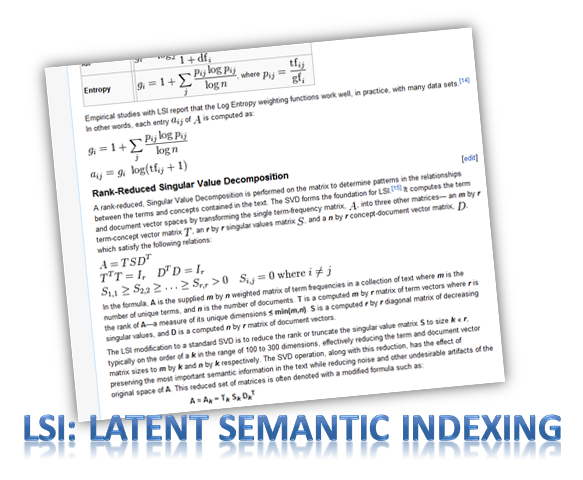
I have discussed about LSI – Latent Semantic Indexing in my previous blog post “What is LSI” but not go into detail. Today let’s see some history of LSI.
Applied Semantics is a company whose use the software tecnology (creator of CIRCA) to extract and organize information from websites in a manner similar to the way that humans might act. The software technology arose from the shortage of finding the valuable content for the advertising of Adsense ads. As you may know, Adsense ads matched the keywords on the pages to keywords in the ads and a webmaster earned money for every click he received from an ad shown on his website. Google soon found the problems of those webpages simply contain relevant keywords phrases to capture traffic for the Adsense ads without valuable content. The software technology of Applied Semantics thus plays an important role in solving this problem. In year 2003, Google purchased Applied Semantics.
The exact mathematical formula used for LSI is complicated and it analyzes pages not only for keywords, but for processing documents based on keyword themes. So its real function is to determine if the content of a site is of value to the visitor or not. Since Google found LSI technology useful and has been implementing it into its ranking algorithm, we should understand and deploy on our websites.
We have some basic knowledge about LSI (Latent Semantic Indexing), here we see how some words have other meanings to Google under the LSI.
When we perform search for the word “laptop” using Google, the returns results on the search pages are as follow:
Google BOLDS the search word “laptop”
If we run a query using the LSI commands which is a ~ sign in front of the search word “~laptop”, Google will show the search results as follow:
With LSI, you can see that to Google, “laptop” also means: Dell, VAIO, Toshiba, Computers.
LSI has changed the way Google looks at sites – shift from “keyword” to “themes”. It based on the concept that humans are not looking for pages that contain specific keywords but for sites build around a theme.
When most of us focus on the word SEO (Search Engine Optimization) to achive page ranking success, there is another key to page ranking success – LSI (Latent Semantic Indexing).
People always say “Content is King” and we always focus on the great content and wanted our articles to be found on search engines and therefore those articles were written with SEO in mind. Now, Let’s find out what is LSI and why it is the key to page ranking success.
LSI is Latent Semantic Indexing. It is a way for search engines to view and rank web pages in a more natural, or human manner. In other word, LSI helps search engines to find out what a web page is all about and it basically means that you shouldn’t just focus on a single keyword when optimizing our web pages and when getting links. LSI not only takes into account a keyword or phrase but also other words and phrases that are similar.
Let’s look at this example. When we want to write an article with the keyword of “buy dress”, we would include this keyword in the article about 3% for SEO purposes. However, with LSI we need to include “buy dress” a few times and also want to include other phrases like “buy clothes”, “buy long dress”, “get dress” and “purchase dress”. The article will then ranked higher in the search results because according to LSI, this article will have more value compare to only target the keyword of “buy dress”. Instead of one keyword or keyword phrase being used as anchor text, a variety of anchor text is favoured.
With the introduction of LSI, sites that previously were ranked high because of extensive inbound links based on a single keyword have now found their ranking have dropped.
Recently I found a blogger friend who has few money making blogs that earns him few hundred dollars per month. I treat these blogs as money making blogs because the blogs really make him money and he is enjoying earning money through blogging.
From there, I realised that there are 5 important components that we need to take note when start to make money through blogging.
1. Choose Right Topic or Own Interest
It is important to choose a topic that you interested in. If you are interested in planting, then share with public your experience of planting, tips for planting and other information about planting. Since this is about your own interest, you will have the passion to write about it and share with others.
2. Right Niche Market
After choose the right topic based on your on interest, you will get the niche market. Niche market is the market you are marketing to and by knowing your niche market, it’s easier to do the marketing and to determine where the marketing energy and dollars should be spent.
3. Keyword Targeting
Keyword targeting is a good way to drive free traffic to a website. It is one of the search engine optimization (SEO) elements that a webmaster should pay attention to. Webmaster could always benefit from right keyword targeting.
4. Good Layout
The layout for a website is important. For example, if you want to make money from the pay per click advertisement, you should place your advertisement at the obvious place that the readers can easily be attracted to click on it. If the advertisements are placed at the corner and the chances of readers click on the ads will be lower.
5. Multiple Source of Income
Multiple income is always better than one source of income. Always look for more advertisers and the chances of earning will be higher.
If you are interested to take a look at my blogger friend’s website, you can go to http://makemoney.jayceooi.com
Today I am going to share with you all my small findings about SEO-Search Engine Optimization. I believe most of the people know the definition of Search Engine Optimization (SEO) and the general idea of SEO is to get our website rank as high as possible in search results of a search engine.
I myself study about SEO from internet and I get lots of definition and information there. After some times, I decided to do some tests and tried to get my website rank top 20 of google search results. Below is the screenshots of my keywords “whenyouhost” and “affsphere article marketing”. Kindly take a look before I continue on how I did it.
“Whenyouhost” – My website lists in the first page of search results.
*search results on 22.08.08 (pls click to enlarge)
Many people actually do not share how they get their website rank top 20 in google search results. Now maybe you wonder why I want to share this. Firstly, from my experience of self learning about SEO, I hardly understand the actual way of doing it with only general ideas and definitions. Secondly, I couldn’t find teaching materials about SEO via internet search results. Maybe I can only get it through courses or SEO companies. Thirdly, since I have found some ideas on how to do it, I hope my posting here could help others to get a clearer picture about SEO.
This is the steps I did for SEO keywords targeting: -
Look for some relevant topics I want to write about. Here I choose one of my affiliate program “Whenyouhost” and one of the article marketing strategy “Affsphere Article Marketing”
Check the search results of these two keywords in google. I found that the total search results for these two keywords are below 12,000. It means it’s easier for my website to rank in front page compare to those keywords with millions search results.
I just used the above three steps and I am quite happy it actually gives me positive results. I hope you all can try to do it in this way and get the results you want. However, I would like to emphasize that the website ranking of search results might vary from time to time and other search engine factors are needed to take into consideration.
I have been looking around for online opportunity and I am honor to have met Moon. When I first saw her Mompreneur Asia Website, I was deeply inspired and very impressed. Being a full time mother and with her will to believe that making money online is possible. Being through the hard work, she has proven to many people that anyone can make money online. Her willingness on helping people like me has given me a guideline in life that decision is upon individual. So if you are looking for opportunity like me, Moon Loh should be the one you are long looking for.
Charmaine Ong
It has been my pleasure to work with Moon Loh since last year. She has consistency and integrity in her work. She shares her knowledge in internet and network marketing generously. I would definitely recommend Moon Loh without hesitation
Viviana Andrew
I have known Moon Loh since Year 2010. When I first saw her Mompreneur Asia website, I was very impressed. She is really someone I admire very much. From an ordinary housewife to becoming one of the top internet marketers in Asia, she had proven that anyone can make money online. She is also very down to earth and willing to share her knowledge and skills with others. I am glad to have the privilege to work with Moon.
Ket Sang Tai
Moon shares freely her knowledge in internet marketing to her team and patiently teach them till they understand. Her leadership is worth commending on. If you want to find someone whom you can learn and work with to succeed in Internet Network Marketing, Moon is the person you can look for.


 If There's a will, There's a way!
  is my motto.